
Looking to master Microsoft Excel and boost your career prospects? 📊 Excel remains one of the most in-demand skills in the professional world, with 81% of global businesses using it across all departments. We’ve compiled a comprehensive guide to the Best Free Excel Courses with Certification in 2025 from leading platforms like Simplilearn, Intellipaat, Great Learning, W3Schools, and Infosys Springboard. Whether you’re a complete beginner or looking to advance your skills, these courses cover everything from basic spreadsheet operations to advanced data analysis, VBA programming, and dashboard creation. Get certified, enhance your employability, and join over 750 million Excel users worldwide who rely on this powerful tool for data management and analysis.
Course Description | Best Free Excel Courses 2025
Excel has evolved from a simple spreadsheet application into a comprehensive data management and analysis platform used by millions of professionals worldwide. This curated collection of free Excel courses provides learners with multiple pathways to master Excel, each offering unique strengths and approaches. From Simplilearn’s comprehensive 7-hour program covering advanced topics like macros and dashboards, to Intellipaat’s 15-hour deep dive into data manipulation, Great Learning’s GenAI-updated curriculum for 2025, W3Schools’ practical tutorial-based learning, and Infosys Springboard’s holistic digital literacy approach—there’s something for everyone.
These courses collectively cover the entire Excel ecosystem: fundamental operations like data entry and formatting, intermediate skills including functions, pivot tables, and conditional formatting, and advanced capabilities such as VBA programming, data analysis tools, and professional dashboard creation. Each platform brings its own pedagogical approach, ensuring learners can choose the learning style that best suits their needs. Whether you’re preparing for a data analyst role, enhancing your business skills, or building a foundation for advanced analytics, these free certification courses provide the knowledge and credentials to advance your career.
Eligibility Criteria | Best Free Excel Courses 2025
These Excel courses are designed to accommodate learners at various skill levels and professional backgrounds. Complete beginners with no prior Excel experience can start with any of these programs, as they all begin with foundational concepts. Fresh graduates looking to enhance their employability, working professionals in sales, marketing, finance, or operations seeking to improve their data management skills, business analysts and data professionals wanting to formalize their Excel knowledge, company executives and managers who need to create reports and analyze business metrics, and students preparing for careers in any business-related field will all find value in these courses.
The self-paced nature of these programs makes them accessible to full-time professionals, part-time learners, and students alike. Whether you have 30 minutes a day or several hours per week, you can progress through the material at your own speed. Some courses like Intellipaat and Simplilearn offer extended access periods (90 days to lifetime), allowing you to revisit concepts and practice at your convenience. No special software is required beyond Microsoft Excel, which is available through Microsoft 365 subscriptions, one-time purchases, or even free online versions for basic learning.
How to Enroll | Best Free Excel Courses 2025
Enrolling in these free Excel courses is straightforward and can be completed in minutes. For most platforms, simply visit the respective course website, click “Enroll Now” or “Start Learning,” and create a free account using your email or social media login. Once registered, you’ll immediately gain access to video lessons, practice exercises, and learning materials. Most courses offer free access to all content, with optional paid certificates upon completion that can be shared on LinkedIn and resumes.
The enrollment process varies slightly by platform: Simplilearn and Intellipaat require account creation and offer 90 days to lifetime access; Great Learning provides immediate access to their 7.5-hour curriculum; W3Schools offers instant access without mandatory registration; and Infosys Springboard requires registration through their digital literacy platform. After enrollment, you can start learning immediately, progress at your own pace, and earn completion certificates by finishing all modules and passing any required assessments. These certificates validate your skills to employers and demonstrate your commitment to professional development.
Also Read: Free Data Science course for beginners with certification from Cisco
Course 1: Simplilearn – Introduction to MS Excel
Course Overview:
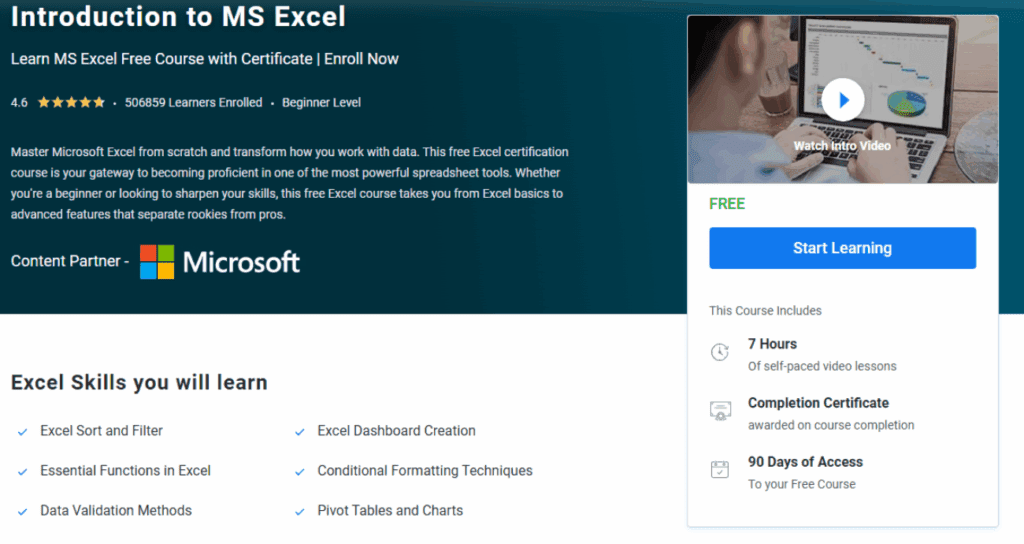
The “Introduction to MS Excel” course by Simplilearn is a comprehensive program designed to transform beginners into confident Excel users. With over 506,859 learners already enrolled and a 4.6 rating, this course takes you on a structured journey from basic operations to advanced features. Starting with sorting and filtering techniques, the course progressively builds expertise through essential functions, conditional formatting, and data validation. Learners will master pivot tables for dynamic analysis, explore advanced data analysis tools including What-If Analysis and Goal Seek, learn automation through macros and VBA programming, and culminate with professional dashboard creation. Through 12 detailed lessons spanning 7 hours of self-paced video content, this course equips you with the exact techniques that separate junior employees from senior analysts in today’s data-driven workplace.
Course Details:
- Modules: 12 comprehensive lessons covering basic to advanced Excel
- Platform: Simplilearn (Free Excel Certification Course)
- Instructor: Simplilearn Expert Faculty
- Enrollment: Free with certificate option
- Duration: 7 hours of self-paced video lessons
- Difficulty: Beginner level (No prior experience required)
- Pace: Self-paced, flexible learning schedule
- Learner Satisfaction: 4.6 rating with 506,859+ learners enrolled
- Special Features: 90 days of course access, completion certificate
- Target Audience: Fresh graduates, sales professionals, marketing teams, business strategists, company executives, data professionals
What You Will Learn:
- Master Excel sort and filter operations for data organization
- Apply essential functions including mathematical, logical, and text functions
- Implement conditional formatting to visualize data patterns
- Create data validation rules for accuracy and consistency
- Build and customize pivot tables and charts for dynamic analysis
- Perform advanced data analysis using What-If Analysis, Goal Seek, and Scenario Manager
- Automate repetitive tasks with macros and VBA programming
- Design professional, interactive Excel dashboards
- Work with date and time functions effectively
- Process and analyze large datasets efficiently
- Create executive-level reports and visualizations
- Apply Excel skills to real-world business scenarios
Course Link: Click Here
Course 2: Intellipaat – Free Excel Certification Course

Course Overview:
The “Free Excel Certification Course” by Intellipaat offers an extensive 15-hour learning journey that takes you from Excel fundamentals to advanced data manipulation techniques. This self-paced course provides a deep dive into Excel workbooks, tables, and cells, progressing through data entry, referencing formulas, and various data processing techniques. Learners will master the art of creating dashboards with interactive components, explore advanced charting and filtering methods, and become proficient with PIVOT tables for complex data analysis. The course emphasizes practical, hands-on learning with real-world datasets, ensuring you can immediately apply your skills in professional settings. With lifetime access to course materials, quizzes, assignments, and a recognized certification upon completion, this Intellipaat program is perfect for those seeking comprehensive Excel mastery with flexible, self-directed learning.
Course Details:
- Modules: Comprehensive coverage from data entry to advanced analytics
- Platform: Intellipaat (Free Excel Certification Course)
- Instructor: Intellipaat Expert Faculty
- Enrollment: Free with lifetime access
- Duration: 15 hours of self-paced learning
- Difficulty: Beginner to intermediate level
- Pace: Self-paced with lifetime access
- Learner Satisfaction: Well-rated for comprehensive curriculum
- Special Features: Quizzes and assignments, lifetime access, certification
- Target Audience: Students, professionals, data analysts, business users
What You Will Learn:
- Master data entry, editing, and series filling techniques
- Understand cell referencing in formulas (relative, absolute, mixed)
- Create and format professional tables with borders
- Apply various charting techniques for data visualization
- Implement advanced sorting and filtering methods
- Build interactive dashboards with dynamic components
- Master PIVOT tables for complex data analysis
- Work with date and time functions in Excel
- Apply IF-ELSE conditions for logical operations
- Use logical functions (AND, OR, NOT) effectively
- Process real-world datasets with confidence
- Create impactful presentations using Excel visualizations
- Manage data-driven projects efficiently
Course Link: Click Here
Course 3: Great Learning – Excel for Beginners
Course Overview:
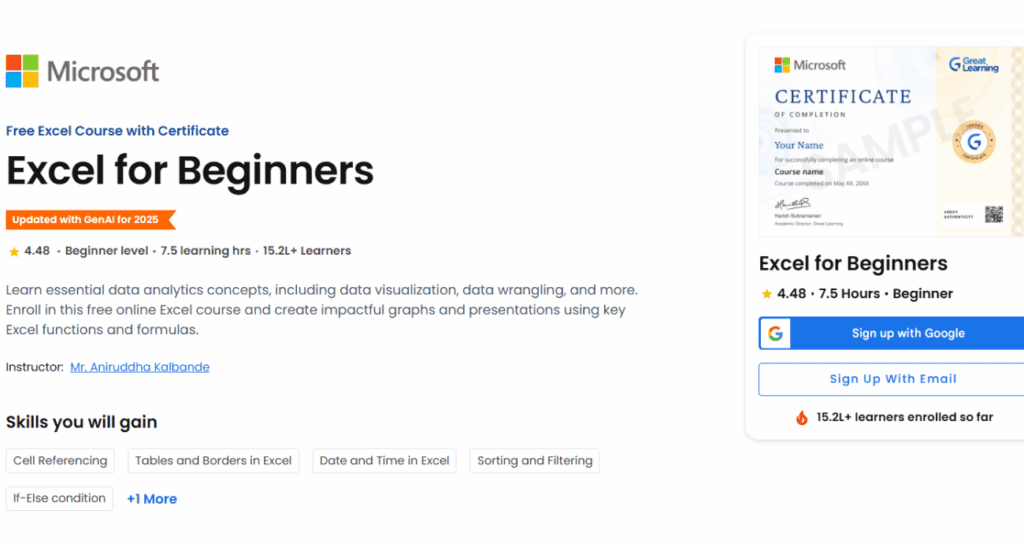
The “Excel for Beginners” course by Great Learning (MyGreatLearning) is a modern, GenAI-updated program for 2025 that focuses on essential data analytics concepts through Excel. With 7.5 hours of learning content and over 152,000 learners enrolled, this course has earned a 4.48 rating for its practical approach to teaching Excel skills. The curriculum covers fundamental concepts including cell referencing, table creation with borders, basic functions and formulas, sorting and filtering techniques, and working with date and time functions. What sets this course apart is its emphasis on real-world application—learners work through practical examples and step-by-step guidance that mirrors actual workplace scenarios. By course completion, you’ll have built a strong foundation in Excel with confidence to apply these skills in everyday work tasks, boosting your productivity and efficiency in data management roles.
Course Details:
- Modules: 6 core modules covering Excel fundamentals
- Platform: Great Learning (MyGreatLearning)
- Instructor: Mr. Aniruddha Kalbande
- Enrollment: Free with certificate option
- Duration: 7.5 hours of learning content
- Difficulty: Beginner level
- Pace: Self-paced, flexible schedule
- Learner Satisfaction: 4.48 rating with 152,000+ learners
- Special Features: Updated with GenAI for 2025, practical examples
- Target Audience: Beginners, professionals seeking Excel efficiency
What You Will Learn:
- Master cell referencing techniques (relative and absolute)
- Create professional tables and apply borders effectively
- Implement basic functions and formulas for calculations
- Perform data sorting using various criteria
- Apply filtering techniques to extract relevant data
- Work with date and time functions for temporal data
- Use IF-ELSE conditions for logical operations
- Handle data tasks efficiently in real-world scenarios
- Build confidence in applying Excel skills to work projects
- Improve productivity in everyday data management
- Create impactful graphs and visualizations
- Develop data wrangling skills for analytics
Course Link: Click Here
Also Read: Best Free Course For Jobseekers | TCS Career Edge
Course 4: W3Schools – Excel Tutorial
Course Overview:
The “Excel Tutorial” by W3Schools offers a unique, practical approach to learning Excel through its renowned tutorial-based methodology. As the world’s most used spreadsheet program, Excel is presented through hands-on examples that users can copy directly into their spreadsheets, making learning interactive and immediate. W3Schools’ signature “Copy Values Tool” allows learners to easily follow along step-by-step, while case-based learning activities help test and build knowledge in an engaging way. The course covers essential use areas including data analytics, project management, and finance and accounting, ensuring relevance across professional domains. With the ability to track progress by signing in (free), interactive exercises to test yourself, and a learn-by-doing philosophy, this tutorial is perfect for those who prefer learning through practical application rather than passive video watching.
Course Details:
- Modules: Tutorial-based modules covering core Excel skills
- Platform: W3Schools
- Instructor: W3Schools Tutorial Team
- Enrollment: Free, instant access (sign-in optional for progress tracking)
- Duration: Self-paced, variable based on learner speed
- Difficulty: Beginner to intermediate level
- Pace: Completely self-directed with interactive exercises
- Learner Satisfaction: Trusted by millions of learners worldwide
- Special Features: Copy Values Tool, interactive exercises, case-based learning
- Target Audience: Hands-on learners, self-directed students, professionals
What You Will Learn:
- Navigate Excel’s interface and fundamental features
- Apply Excel formulas for mathematical functions
- Perform data analytics tasks effectively
- Use Excel for project management applications
- Handle finance and accounting calculations
- Work with spreadsheet data efficiently
- Complete practical exercises that test understanding
- Build knowledge through case-based scenarios
- Copy and adapt example values for learning
- Develop problem-solving skills with Excel
- Apply Excel to work, leisure, and learning contexts
- Master Excel through hands-on practice
Course Link: Click Here
Course 5: Infosys Springboard – Digital Literacy Program

Course Overview:
The “Digital Literacy Program” by Infosys Springboard takes a holistic approach to Excel education as part of a broader initiative to shape India’s future through quality digital education. Launched under the Infosys ESG Tech for Good charter, this program aims to enable students and lifelong learners by imparting digital and life skills through curated content and interventions, completely free of cost. Beyond just Excel, the program covers core digital skills, life skills, behavioral skills, and promotes continuous education and lifelong learning. Excel training is integrated into technology training modules where college students and faculty can learn from subject matter experts and architects with four decades of Infosys enterprise experience. The program includes daily coding classes, spoken English for global competitiveness, and exposure to new technologies and their business applications, making it ideal for young minds preparing for careers in the digital economy.
Course Details:
- Modules: Integrated digital literacy with Excel as core component
- Platform: Infosys Springboard
- Instructor: Infosys Subject Matter Experts and Architects
- Enrollment: Free for students and lifelong learners
- Duration: Flexible, continuous learning model
- Difficulty: Beginner to intermediate level
- Pace: Self-paced with guided learning paths
- Learner Satisfaction: Backed by 4 decades of Infosys expertise
- Special Features: Aligned with New Education Policy 2020, includes soft skills
- Target Audience: Students, faculty, early career professionals, lifelong learners
What You Will Learn:
- Develop core digital skills including Excel proficiency
- Master life skills and behavioral competencies
- Apply Excel in business and day-to-day contexts
- Learn from industry-standard content and real-world experience
- Explore technology applications beyond spreadsheets
- Develop spoken and written English communication skills
- Understand horizon 2 technologies and their applications
- Access quality content from leading universities worldwide
- Build vocational skills aligned with industry needs
- Prepare for digital economy careers
- Engage in continuous education and lifelong learning
- Benefit from Infosys’s 40 years of enterprise knowledge
Course Link: Click Here
Conclusion | Best Free Excel Courses 2025
Mastering Microsoft Excel is no longer optional—it’s essential for career success in today’s data-driven world. These five free Excel certification courses from Simplilearn, Intellipaat, Great Learning, W3Schools, and Infosys Springboard offer diverse learning paths to suit every learner’s style and schedule. Whether you prefer Simplilearn’s structured 7-hour program with advanced topics, Intellipaat’s comprehensive 15-hour deep dive with lifetime access, Great Learning’s GenAI-updated practical approach, W3Schools’ hands-on tutorial method, or Infosys Springboard’s holistic digital literacy program, you’ll gain valuable skills and recognized certifications.
With 750 million users relying on Excel worldwide and 81% of businesses using it across departments, investing time in these courses pays immediate dividends. Each program offers free access to quality content, recognized certifications, and the flexibility to learn at your own pace. Don’t miss this opportunity to join millions of professionals who have elevated their careers through Excel mastery. Enroll today, practice consistently, and watch as new career opportunities open up. That’s all for today’s blog—see you in the next one with more exciting learning opportunities!
Frequently Asked Questions
1) Are these Excel courses completely free?
Ans: Yes, all five courses offer free access to their learning materials and video content. Some platforms like Simplilearn and Intellipaat may charge a nominal fee for verified certificates, while others like W3Schools offer completely free learning without mandatory certification costs. Great Learning and Infosys Springboard provide free certificates upon completion.
2) Which Excel course is best for complete beginners?
Ans: All courses are beginner-friendly, but Simplilearn and Great Learning are particularly well-suited for absolute beginners with no prior Excel experience. They start with fundamental concepts and progress gradually. W3Schools is ideal if you prefer hands-on, tutorial-based learning.
3) Will I receive a certificate after completing these courses?
Ans: Yes, Simplilearn, Intellipaat, Great Learning, and Infosys Springboard all provide completion certificates that you can share on LinkedIn and include on your resume. W3Schools offers certification through a separate paid exam, but the learning content is free.
4) How much time do I need to commit each week?
Ans: These are self-paced courses, so you can learn according to your schedule. Simplilearn requires about 7 hours total, Intellipaat takes 15 hours, Great Learning needs 7.5 hours, while W3Schools and Infosys Springboard are completely flexible based on your learning speed.
Disclaimer
The information provided in this blog is based on details available from Simplilearn, Intellipaat, Great Learning (MyGreatLearning), W3Schools, and Infosys Springboard platforms as of November 2025. Course availability, duration, fees, certification options, content, and features may change over time. Learner enrollment numbers and ratings are approximate and subject to updates. Readers are strongly advised to visit the official websites of each platform for the latest information, current enrollment procedures, pricing details, and specific course requirements before enrolling. While these courses were free at the time of writing, platforms reserve the right to modify their offerings. The author and publisher are not responsible for any changes made by the course providers after publication.